Trace ultra-low power
This technical note details how to trace ultra-low power on the EXT3.2 extension board with an ammeter.
The example uses the Power Profiler Kit II from Nordic Semiconductor with the application Power Profiler, part of nRF Connect for Desktop .
Configure
Configure the Power Profiler Kit II in ammeter mode with the following connections:
| Main board | Ammeter Channel |
EXT3.2 board Pin |
EXT3.2 board Signal |
|---|---|---|---|
| +3.3V | GND | ||
| Ground | VIN | ||
| VOUT | 1 | VCC | |
| GND | 10 | GND | |
| D7 | 8 | Panel POWER |
The digital channel D7 records the panel POWER signal.
Use
The EXT32_LowPower example refreshes the screen and then pauses for 4 seconds twice, first without low power and then with low power.
The comparison between the two gives the impact of the low power mode.
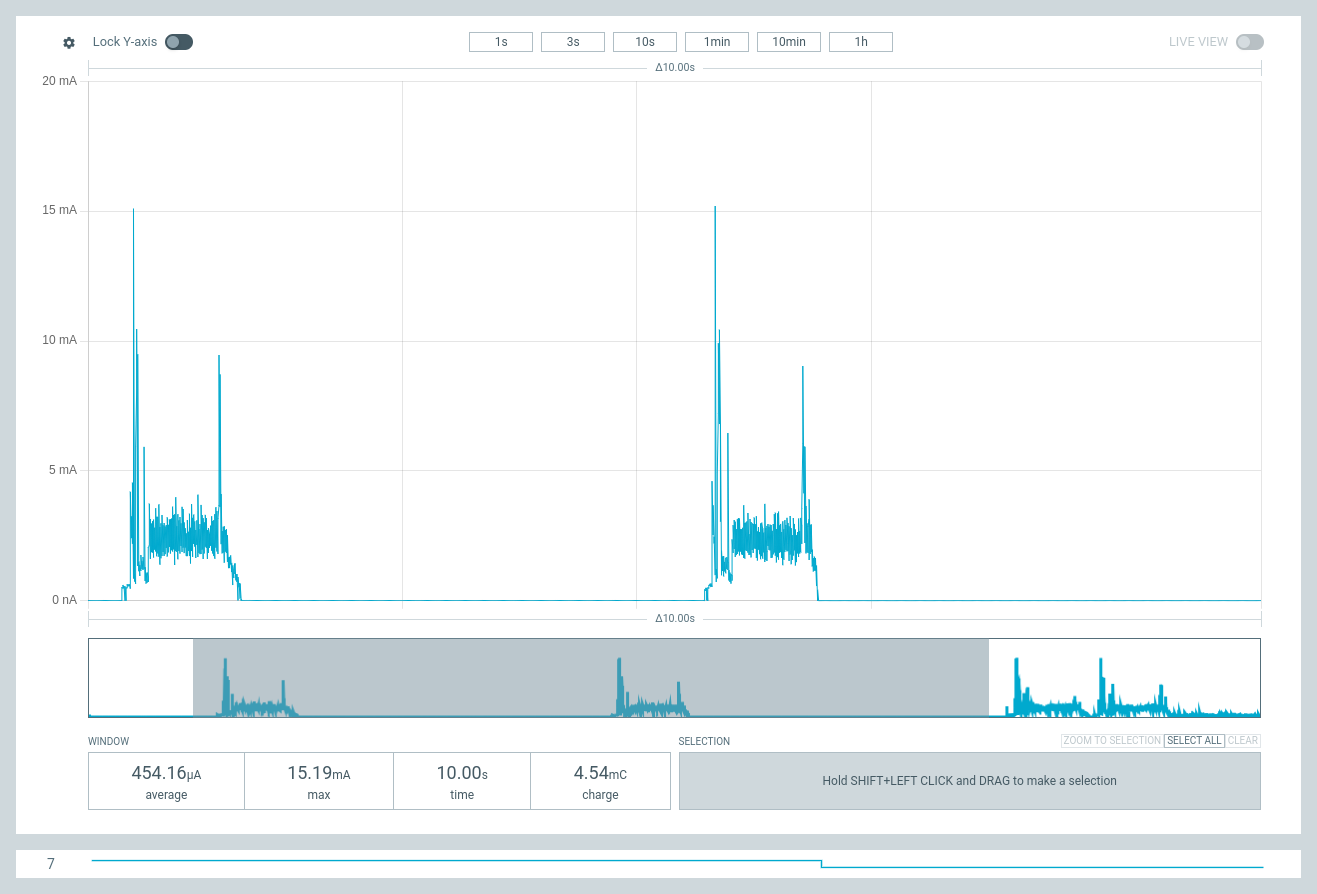
Refresh and pause, twice
Example
This example runs on an EXT3.2 extension board and a 2.90” high-definition monochrome e-paper display with wide temperature and embedded fast update.
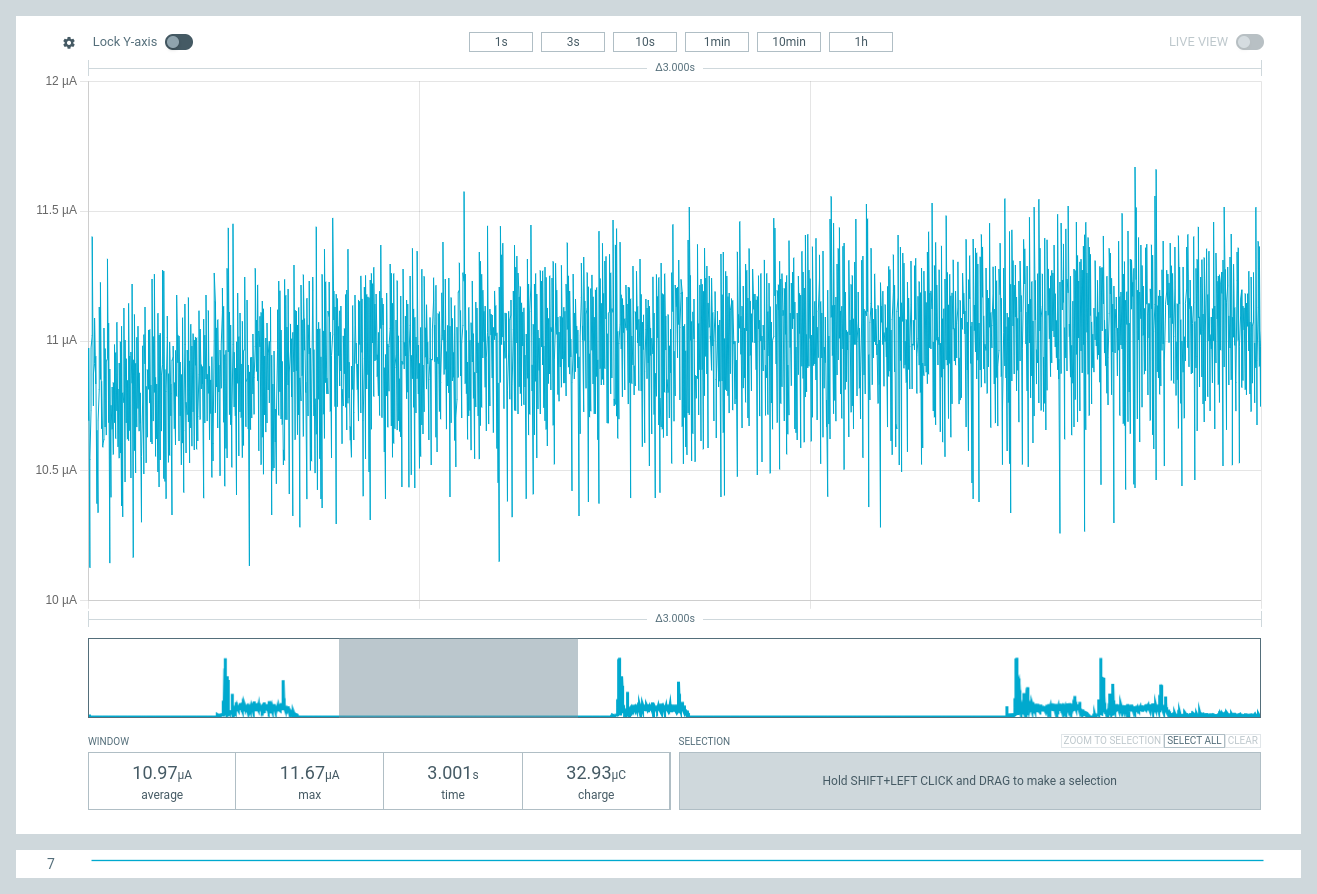
Without low power: ~11 µA
The digital channel D7 is high for power on.
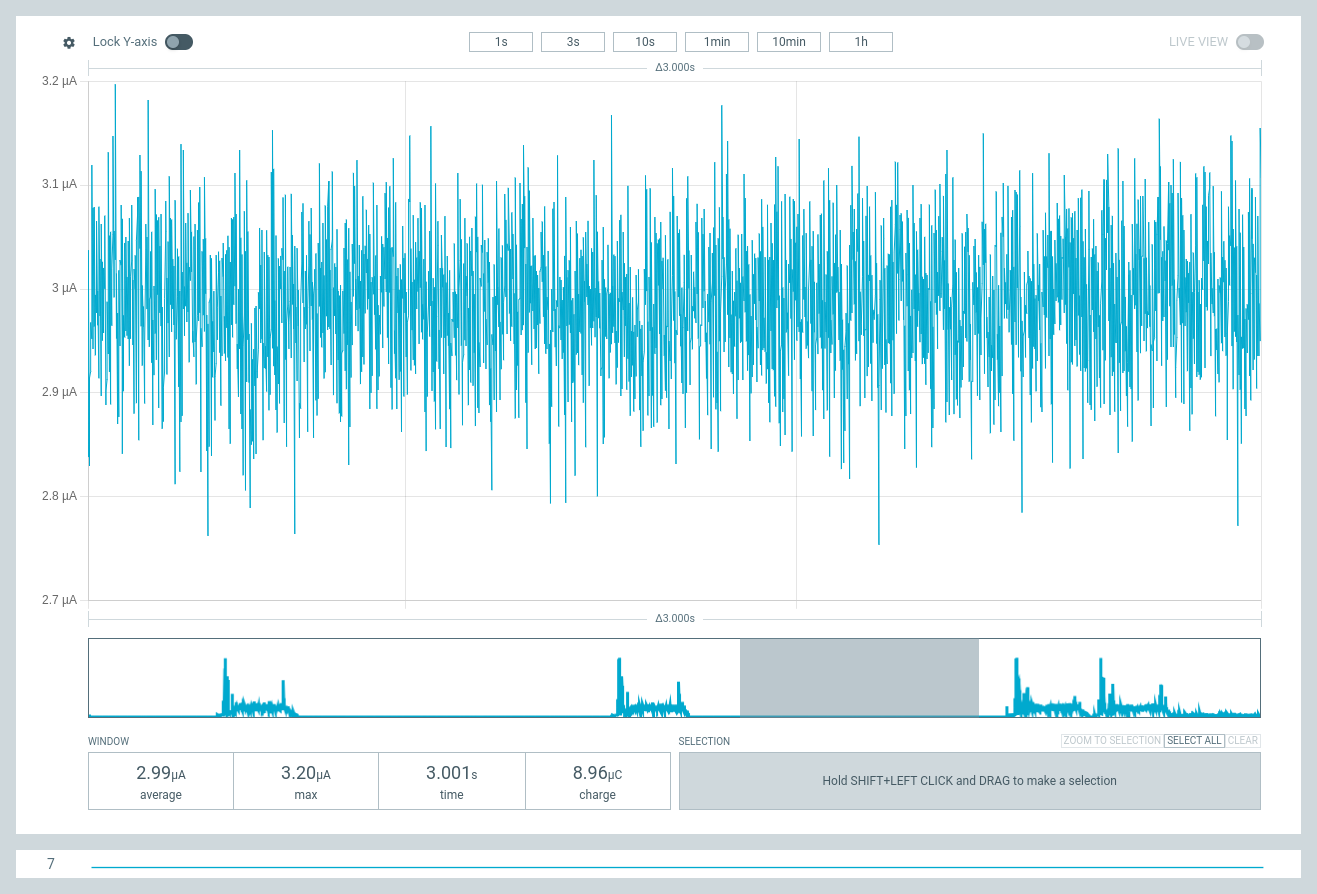
With low power: ~3 µA
The digital channel D7 is low for power off.