Generate and display an image as a header file with PDLS Basic
The procedure to generate and display an image as a header file with PDLS Basic relies on the external utility EPD Image Converter to convert an image file PNG, BMP or JPEG to a C-array. Then the C-array is displayed on the screen through the frame-buffer with PDLS.
Text can be printed on top of the image.
The other editions of PDLS provides the dedicated application libraries File and Serial to manage image files natively. For more information, refer to PDLS Editions.
Configure
The EPD Image Converter requires Java 17 or later.
Use with black-white-red-yellow screens
The black-white-red-yellow screens (film Q) use one single frame-buffer with 2 continuous bits for each pixel.
Initial image
The initial image should have the exact dimensions of the targeted screen, 264 by 176 for the 266-QS-0F in this example.
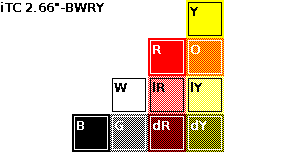
Initial black-white-red-yellow image
Image converter
Launch the EPD Image Converter utility.
Select the file PNG, BMP or JPEG.
Check the size of the screen, select the film BWRY, ensure the orientation fits the screen, press Convert to proceed and finally Save as header file.
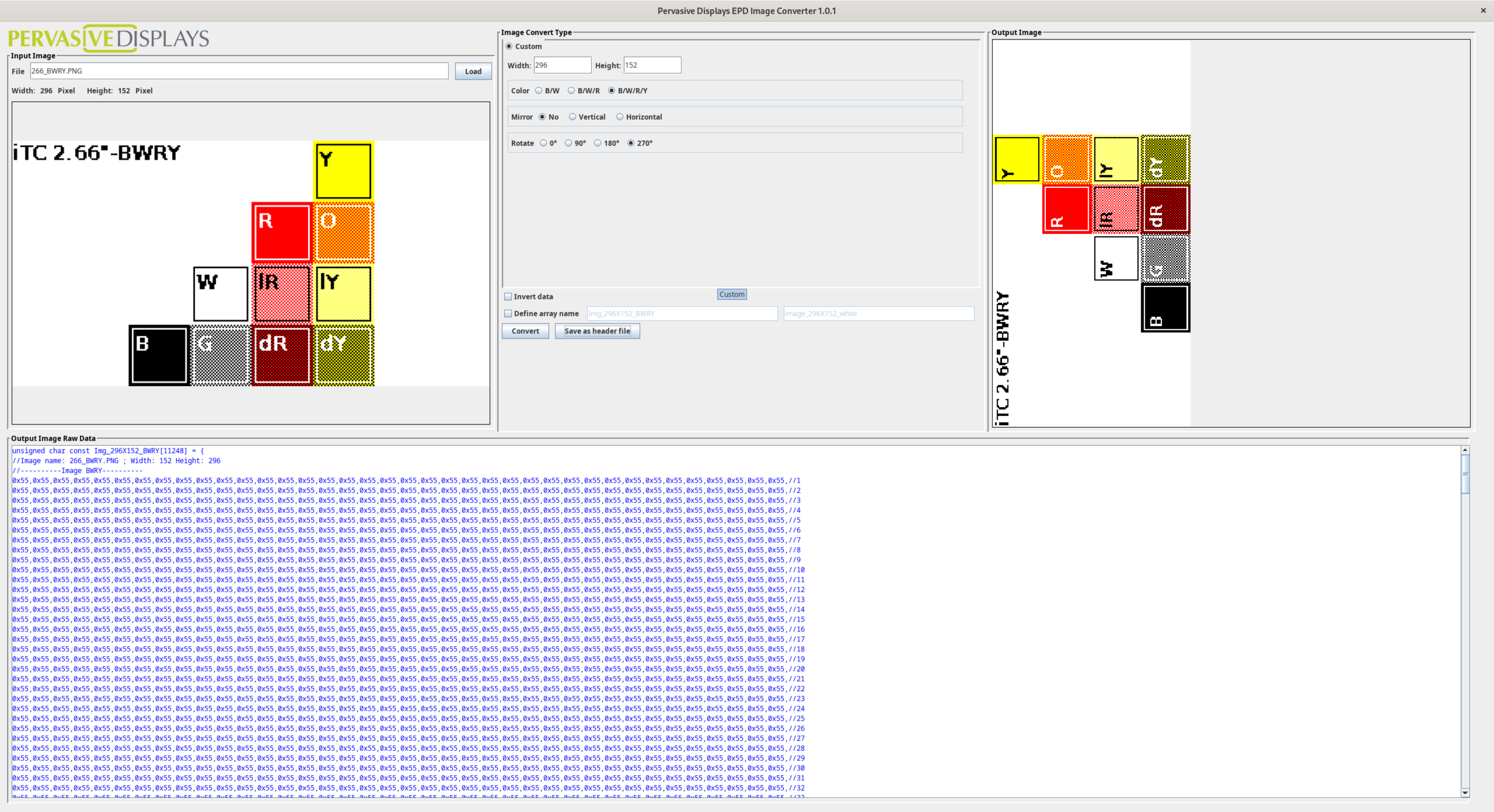
Check the generated file.
unsigned char const Img_296X152_BWRY[]= { ... }
Refer to the EPD Image Converter User Guide for the additional options.
Main project
Edit the generated 266_BWRY header file and change the type of the Img_296X152_BWRY array.
const uint8_t Img_296X152_BWRY[]= { ... }
The driver sends the C-array directly to the screen while PDLS uses the frame-buffer to manage the image.
The solution consists on copying the C-array onto the frame-buffer.
memcpy(myScreen.s_newImage, Img_296X152_BWRY, frameSize_EPD_266);
The code copies the image from the C-array of the generated header file onto the frame-buffer.
However, compilation raises an error, as the frame-buffer s_newImage is protected within the myScreen object of the Screen_EPD class.
Demo_C_array_PDLS_BWRY.ino:26:21: error: 'uint8_t* hV_Screen_Buffer::s_newImage' is protected within this context
   26 |     memcpy(myScreen.s_newImage, Img_296X152_BWRY, frameSize_EPD_266);
      |                     ^~~~~~~~~~
Make the frame-buffer s_newImage public by editing the hV_Screen_Buffer header file and moving the line from the protected section to the public section.
  protected:
    // Frame-buffer
    FRAMEBUFFER_TYPE s_newImage;
Danger
Make sure to check that the size of the C-arrays and the size of the colour pages are consistent. memcpy does not check the target is large enough to copy the source.
Overflow errors may corrupt the data and freeze the application
memcpy(myScreen.s_newImage, Img_296X152_BWRY, frameSize_EPD_266);
myScreen.gText(0, 24, "Img_296X152_BW");
myScreen.flush();
The code copies the image from the C-array of the generated header file onto the frame-buffer, prints a text and refreshes the screen.
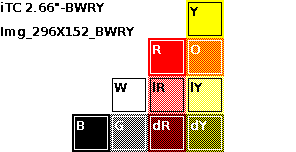
Final black-white-red-yellow image
Example
// SDK and configuration
#include "PDLS_Common.h"

// Board
Board_EXT myBoard = boardRaspberryPiPico_RP2040_EXT3;

// Driver
#include "Pervasive_BWRY_Small.h"
Pervasive_BWRY_Small myDriver(eScreen_EPD_266_QS_0F, myBoard);

// Screen
#include "PDLS_Basic.h"
Screen_EPD myScreen(&myDriver);

// Fonts
uint8_t fontSmall, fontMedium, fontLarge, fontVery;

// Image
#include "Img_296X152_BWRY.h"

void setup()
{
    hV_HAL_begin();

    myScreen.begin();
    myScreen.setOrientation(ORIENTATION_LANDSCAPE);

    fontMedium = Font_Terminal8x12;
    myScreen.selectFont(fontMedium);

    memcpy(myScreen.s_newImage, Img_296X152_BWRY, frameSize_EPD_266);
    myScreen.gText(0, 24, "Img_296X152_BWRY");
    myScreen.flush();

    hV_HAL_delayMilliseconds(4000);
    myScreen.regenerate();

    hV_HAL_exit();
}

void loop()
{
    hV_HAL_delayMilliseconds(1000);
}
Use with black and white screens
The black and white (film K) screens uses on frame-buffer with two pages: one for the new image, another for the previous image or empty.
The EPD Image Converter utility generates two C-arrays. Both should be copied onto the frame-buffer.
Initial image
The initial image should have the exact dimensions of the targeted screen, 264 by 176 for the 266-KS-0C in this example.
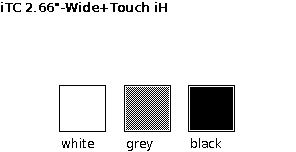
Initial black and white image
Image converter
Launch the EPD Image Converter utility.
Select the file PNG, BMP or JPEG.
Check the size of the screen, select the film BW, ensure the orientation fits the screen, press Convert to proceed and finally Save as header file.
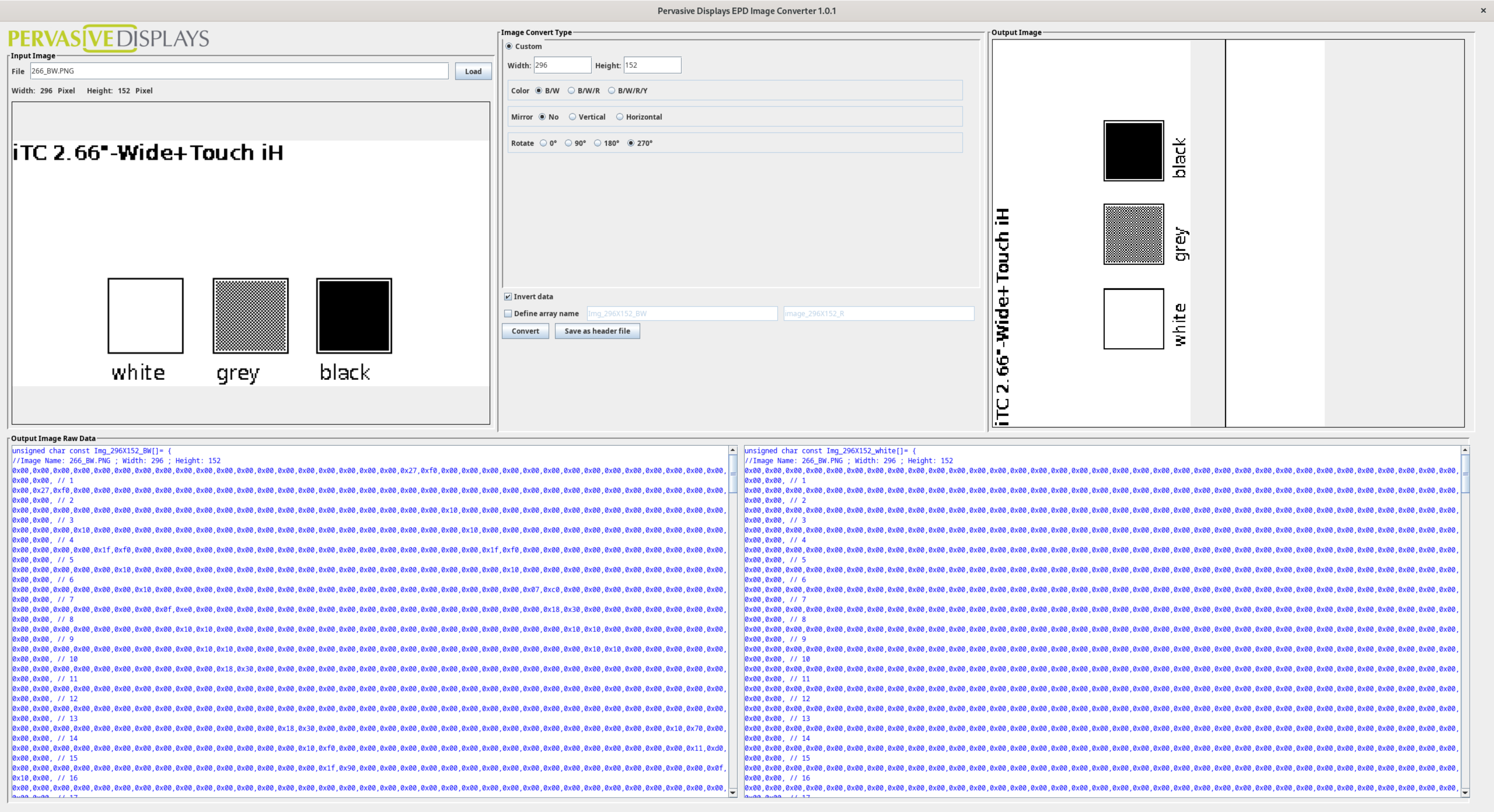
Check the generated file.
unsigned char const Img_296X152_BW[]= { ... }
unsigned char const Img_296X152_white[]= { ... }
Refer to the EPD Image Converter User Guide for more options.
Main project
Edit the generated 266_BW header file and change the type of the Img_296X152_BW and Img_296X152_white arrays.
const uint8_t Img_296X152_BW[]= { ... }
const uint8_t Img_296X152_white[]= { ... }
The driver sends the C-arrays directly to the screen while PDLS uses the frame-buffer to manage the image.
The solution consists on copying the C-arrays onto the frame-buffer.
uint32_t pageColourSize = (frameSize_EPD_266 >> 1);
memcpy(myScreen.s_newImage, Img_296X152_BW, pageColourSize);
memcpy(myScreen.s_newImage + pageColourSize, Img_296X152_white, pageColourSize);
The code copies the image from the C-arrays of the generated header file onto the frame-buffer.
However, compilation raises an error, as the frame-buffer s_newImage is protected within the myScreen object of the Screen_EPD class.
Demo_C_array_PDLS_BW.ino:26:21: error: 'uint8_t* hV_Screen_Buffer::s_newImage' is protected within this context
   26 |     memcpy(myScreen.s_newImage, Img_296X152_BW, pageColourSize);
      |                     ^~~~~~~~~~
Make the frame-buffer s_newImage public by editing the hV_Screen_Buffer header file and moving the line from the protected section to the public section.
  protected:
    // Frame-buffer
    FRAMEBUFFER_TYPE s_newImage;
Danger
Make sure to check that the size of the C-arrays and the size of the colour pages are consistent. memcpy does not check the target is large enough to copy the source.
Overflow errors may corrupt the data and freeze the application
uint32_t pageColourSize = (frameSize_EPD_266 >> 1);
memcpy(myScreen.s_newImage, Img_296X152_BW, pageColourSize);
memcpy(myScreen.s_newImage + pageColourSize, Img_296X152_white, pageColourSize);
myScreen.gText(0, 24, "Img_296X152_BW");
myScreen.flush();
The code copies the image from the two C-arrays of the generated header file onto the frame-buffer, prints a text and refreshes the screen.
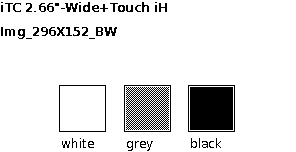
Final black and white image
Example
// SDK and configuration
#include "PDLS_Common.h"

// Board
Board_EXT myBoard = boardRaspberryPiPico_RP2040_EXT3;

// Driver
#include "Pervasive_BWRY_Small.h"
Pervasive_BWRY_Small myDriver(eScreen_EPD_266_QS_0F, myBoard);

// Screen
#include "PDLS_Basic.h"
Screen_EPD myScreen(&myDriver);

// Fonts
uint8_t fontSmall, fontMedium, fontLarge, fontVery;

// Image
#include "Img_296X152_BW.h"

void setup()
{
    hV_HAL_begin();

    myScreen.begin();
    myScreen.setOrientation(ORIENTATION_LANDSCAPE);

    fontMedium = Font_Terminal8x12;
    myScreen.selectFont(fontMedium);

    uint32_t pageColourSize = (frameSize_EPD_266 >> 1);
    memcpy(myScreen.s_newImage, Img_296X152_BW, pageColourSize);
    memcpy(myScreen.s_newImage + pageColourSize, Img_296X152_white, pageColourSize);
    myScreen.gText(0, 24, "Img_296X152_BW");
    myScreen.flush();

    hV_HAL_delayMilliseconds(4000);
    myScreen.regenerate();

    hV_HAL_exit();
}

void loop()
{
    hV_HAL_delayMilliseconds(1000);
}
Use with other screens
The procedure is similar to Use with black and white screens, except the black-white-red (film J) screens uses the pages of the frame-buffer for the colours: one for black, another for red.
Tip
For screens non listed here, for example monochrome screens (film C), monochrome screens with embedded fast update (film P) or colour black-white-red screens (film J), refer to the Legacy drivers and library.