Assembly and Usage
Connecting to your EVK
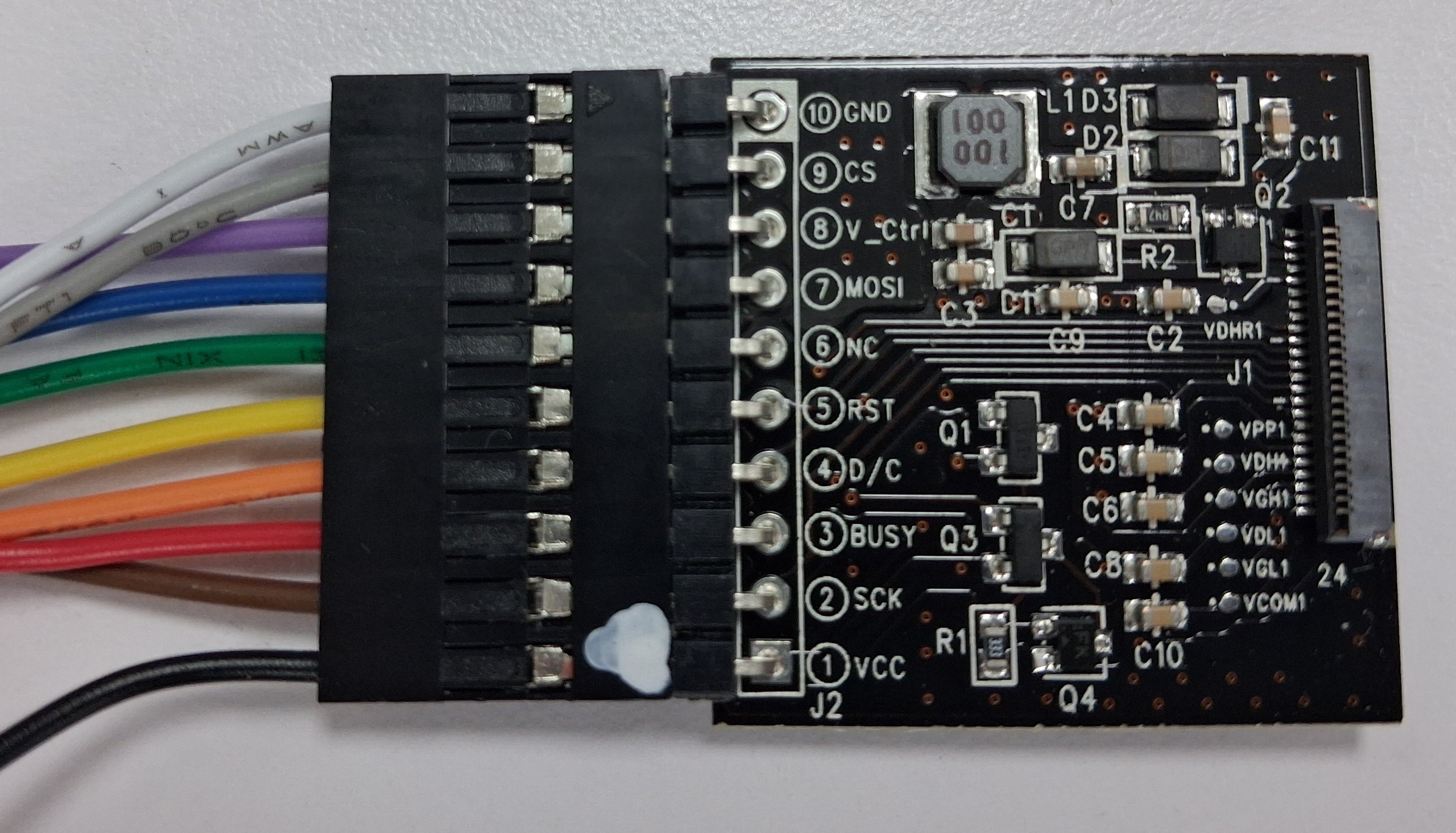
The pin 1 of EXT3-2 board aligns with the 1st pin (black wire) of bridging cable. The pin 10 of EXT3-2 board aligns with the 10th pin (white wire) of bridging cable.
Wiring to Raspberry Pico
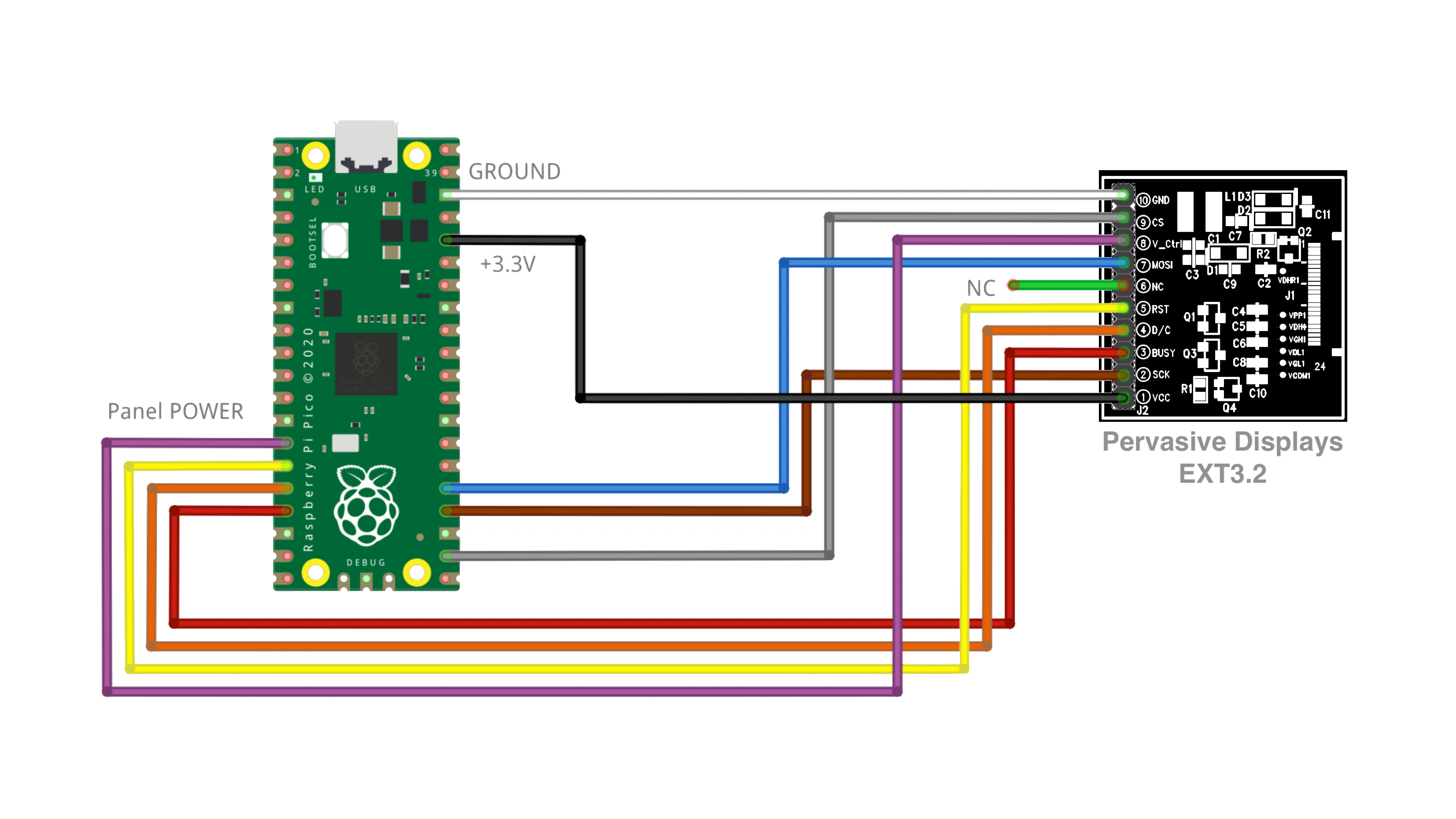
The diagram shows the complete pin map with colour-coded wires for the 10-pin bridging cable for Raspberry Pi Pico (RP2040).
Pin 6 (NC) is normally for MISO pin but is not needed as our epapers use non-standard 3-wire SPI. Pin 8 (V_CTRL) is for toggling the power supply of the epaper. It allows for ultra-low power operations.
Connecting the EPD
Connecting EPD with the ZIF connector (J1):
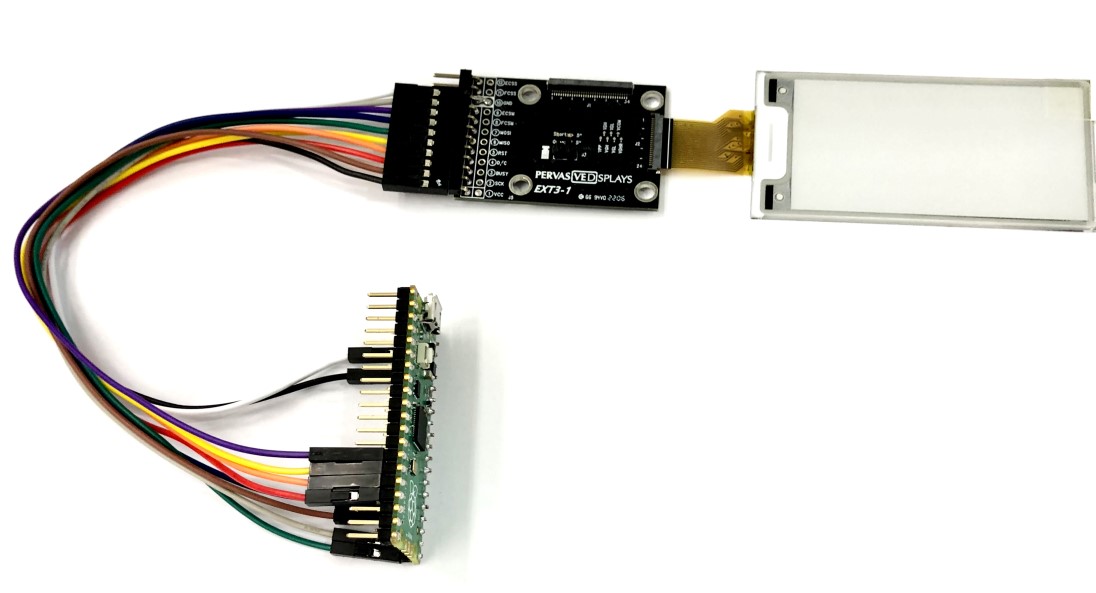
The final connection of EXT3-2 board with Raspberry Pi Pico and 2.66” EPD is seen below.
Working with EXT3-2
The driving source code was primarily developed with Arduino SDK, but can be easily adapted to any of your microcontroller needs.
Check out Pervasive Displays Driver Library to discover our sample codes for many EPD sizes supported by the EXT3-2 kit!